

Your laptop used to open Chrome in seconds. Now it freezes during a Zoom call, Excel takes a minute to load, and everything feels stuck. If you're wondering why my laptop is slow, the answer is usually storage, RAM, overheating, or background software issues, rather than a complete hardware failure. We hear this every day at GoFix.
Here's what most people don't know: based on our experience diagnosing over 1,25,000 devices across India, the vast majority of slow-laptop cases are software-related, not hardware failures. The machine is fine. It just needs the right fix, in the right order.
Whether you're on an HP, Dell, Acer, Asus, Lenovo, Samsung, or MacBook, this guide gives you 8 real reasons a laptop slows down and the exact fix for each, in plain language, no jargon.
Quick Answer: What's the fastest fix for a slow laptop? Press Ctrl + Shift + Esc, click the Startup tab, and disable every non-essential programme. This single free step resolves the majority of slow-laptop cases by freeing up RAM before you open a single app. If that doesn't help, check storage and read on.
What Causes a Laptop to Run Slow?
A laptop has three main performance bottlenecks: RAM (how many tasks it can juggle at once), storage (how fast it reads and writes files), and the CPU (the brain behind everything). When any of these gets overwhelmed by clutter, heat, or bad software, the whole machine slows down.
Thermal throttling is when a laptop's CPU automatically reduces its speed to prevent overheating. It feels identical to a hardware failure but is fully reversible once the root cause is addressed. A drive at 95% capacity can feel just as bad as dying hardware, even when the drive itself is perfectly fine. Knowing which bottleneck you're dealing with tells you where to start.
Symptom → Most Likely Cause Quick Reference
| What You Are Seeing | Most Likely Cause | Where to Start |
|---|---|---|
| Slow to start, fine after 10 min | Too many startup programmes | Fix 1: Disable startup items |
| Slow all the time, every task | Full storage or old HDD | Fix 2, then Fix 7 |
| Gets slow after 20–30 minutes | Overheating / thermal throttling | Fix 6: Clean vents, thermal paste |
| Only the browser feels slow | Cache, tabs, or extensions | Fix 5: Clear browser cache |
| Sudden slowdown, nothing changed | Malware or background processes | Fix 3: Run malware scan |
| Slow with multiple apps open | Low RAM (4 GB or less) | Fix 4: Close apps, check RAM |
| Slow only when charging / unplugged | Power plan or battery setting | Fix 8: Check power settings |
| Clicking/grinding sounds + slow | HDD mechanical failure | Back up immediately, visit a technician |
8 Fixes for a Slow Laptop: In Order
Fix 1: Disable Startup Programmes, Biggest Free Impact
Every app you install quietly adds itself to your startup list. After two years of normal use, you might have 20 to 30 programmes loading on boot, consuming RAM before you've opened a single browser tab. This is the single most common reason laptops feel sluggish from the moment you turn them on.
- Press Ctrl + Shift + Esc to open the Task Manager.
- Click the Startup tab at the top.
- Right-click anything you don't need at startup (Spotify, Discord, OneDrive, Teams) and select Disable.
- Restart the laptop and notice the difference in boot speed.
Skip anything labelled as a Windows system process, or your antivirus software; everything else is fair game. Boot time typically drops by 30 to 60 seconds, and RAM availability improves from the very first restart.
If you're unsure which items are safe to disable, the GoFix team can help identify unnecessary startup programs during a diagnostic check at any GoFix laptop service centre, with best-in-class discounts on servicing and performance upgrades.
Fix 2: Free Up Storage Space
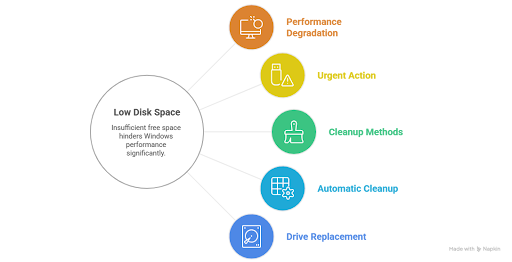
Windows needs free space to manage temporary files, virtual memory, and system updates. When your drive's free capacity drops below 10–15%, performance drops sharply. A drive at 95% full can feel as bad as dying hardware, even when the drive itself is perfectly fine.
- Open File Explorer, right-click your C: drive, and check how full it is. Above 80% is urgent.
- Press Windows + R, type cleanmgr, and run Disk Cleanup to remove temporary files.
- Clear your Downloads folder - it's almost always packed with forgotten installers and old PDFs. Most laptops we service at GoFix have 15–25 GB of useless setup files.
- Uninstall apps you haven't opened in three months: Settings → Apps → sort by size.
- Turn on Storage Sense in Settings → System → Storage so Windows handles routine cleanup automatically.
If storage is critically full and the laptop still feels slow even after a cleanup, it's often a sign that the drive itself needs replacing. GoFix carries genuine storage upgrades for HP, Dell, Acer, Asus, Lenovo, and all major brands. Walk in, and we'll check compatibility on the spot.
Fix 3: Run a Full Malware Scan
Malware, especially adware and cryptominers, runs silently in the background, consuming CPU and RAM while your normal apps struggle for resources. Sudden slowdowns (as opposed to gradual ones) are one of the clearest signs of malware activity.
- Open Windows Security from the Start menu.
- Go to Virus and threat protection → Quick Scan.
- If nothing is found but the laptop is still slow, run a Full Scan.
- If Windows Defender finds nothing, also run Malwarebytes (free version), which catches adware that standard antivirus tools sometimes miss.
If scans come back clean and the laptop is still behaving strangely, the issue may be deeper. GoFix technicians run a full software diagnostic and resolve hundreds of cases where malware removal alone brought a laptop back to full speed without any hardware replacement.
Fix 4: Check RAM Usage
If your laptop has 4 GB of RAM and you're running Chrome with eight tabs, Zoom, Spotify, and Excel simultaneously, the machine isn't broken. It's genuinely out of memory. No amount of cleaning will help if the hardware can't keep up with the workload.
- Open Task Manager → Performance → Memory.
- If memory usage is consistently above 80%, you need to close apps or consider an upgrade.
- Free fix first: close browser tabs you're not actively reading. Switch to Microsoft Edge, which uses noticeably less memory than Chrome for identical browsing.
- If your laptop has a spare RAM slot and is running on 4 GB, upgrading to 8 GB is one of the most cost-effective performance improvements available.
Not sure if your laptop supports a RAM upgrade? At GoFix, we check slot availability and compatibility across all major brands while offering best-in-class discounts on RAM upgrades and laptop performance solutions. If an upgrade is right for you, we'll install the RAM with genuine parts at best-in-class service pricing, same-day in most cases.
Fix 5: Clear Browser Cache and Remove Extensions
If everything else feels normal but the browser is sluggish, the problem is the browser, not the laptop. An overloaded Chrome profile with years of cached files and a dozen active extensions can behave exactly like a slow computer.
- In Chrome: Settings → Privacy and security → Clear browsing data → select All time → clear cached images, cookies, and history.
- Remove extensions you don't use: Settings → Extensions → toggle off or remove.
- Enable Memory Saver in Chrome: Settings → Performance.
- If Chrome still feels slow, open the same websites in Microsoft Edge. If Edge is noticeably faster, uninstall and reinstall Chrome fresh.
One thing most people don't realise: antivirus browser extensions scan every single page load, adding real overhead to every click. Your antivirus already covers downloads at the system level, so the browser add-on is usually redundant. Disabling it can make a visible difference in page load speed.
Fix 6: Deal With Overheating (Thermal Throttling)
Here's one we see constantly at the GoFix walk-in counter: a laptop that runs noticeably worse than it should, the owner is convinced something is wrong with the hardware, and all it takes is fixing the ventilation. When a laptop gets too hot, the CPU automatically slows itself down to prevent damage. This is thermal throttling, and it feels exactly like a slow or broken laptop.
Signs of overheating:
- The bottom of the laptop is hot to the touch after 20 minutes of use.
- Fans are running loudly even during light tasks like browsing.
- Performance drops after 20 to 30 minutes, then recovers when the laptop rests.
What to do:
- Never use your laptop on a bed, sofa, or pillow, as they block the vents completely.
- Use a hard, flat surface, a dedicated laptop stand, or a cooling pad (reduces temperature by 5 to 10°C).
- Blow dust out of the vents with compressed air, even once a year; it makes a real difference.
- If the laptop is 3 to 4 years old, the thermal paste between the CPU and its cooler has likely dried out. Replacing it is a 30 to 45-minute service that often delivers a dramatic performance recovery.
If your laptop heats up quickly or the fans are constantly noisy, visit a GoFix laptop service centre for a professional internal cleaning, fan inspection, and cooling optimisation service. If the fan itself is worn or failing, GoFix replaces it with a genuine part available for HP, Dell, Acer, Asus, Lenovo, Samsung, Toshiba, MSI, and MacBook models. If you're fast for the first 15 to 20 minutes but slow after that, thermal paste degradation is the most likely cause. That specific pattern is the tell.
Fix 7: Upgrade from HDD to SSD: The Biggest Performance Leap
If your laptop still uses a mechanical hard drive (HDD), this single upgrade will transform how it feels to use. An SSD reads and writes data 5 to 10 times faster than a mechanical drive, bringing faster boot times, faster app launches, and faster everything.
Open Task Manager → Performance → Disk. If it says HDD, or if your laptop takes 60 seconds or more to reach the desktop, you are on a mechanical drive. You don't need a new laptop. You need an SSD.
SSD Upgrade Pricing in India (2026)
| Capacity | Approx. Price (SATA SSD) | Best For |
|---|---|---|
| 256 GB | ₹2,000 - ₹3,500 | Basic use, mostly cloud storage |
| 512 GB | ₹4,000 - ₹6,500 | Most home and office users |
| 1 TB | ₹7,000 - ₹11,000 | Heavy users, media, design work |
Real result from our workshop: We've seen laptops boot from several minutes down to under 30 seconds after an SSD upgrade without replacing the device. At GoFix, an SSD installation with full data migration from your existing drive takes 45 to 90 minutes. You leave with all your files and software intact, just on a dramatically faster machine.
Most laptops made after 2012 support SATA SSD upgrades; many post-2016 models also support faster NVMe M.2 SSDs. GoFix always verifies compatibility before recommending an upgrade, and GoFix offers special service discounts on SSD installations across all brands.
Fix 8: Fix Your Power Plan
If your laptop is set to Power Saver - the default on many laptops when unplugged - it's actively throttling the CPU to extend battery life. The result feels exactly like a broken laptop, even when the hardware is perfectly fine.
- Click the battery icon in your taskbar and drag the slider toward Best performance.
- Or open Control Panel → Power Options and select High Performance (best while plugged in).
This is a surprisingly common walk-in issue at GoFix. We've seen customers running their machine at half CPU capacity for months without realising a single setting was the cause. Check this before assuming any hardware fault.
When to See a Professional
Software fixes have their limits. Bring your laptop to a GoFix technician if any of these apply:
- The laptop overheats even after cleaning the vents - thermal paste likely needs replacing.
- You hear clicking or grinding sounds - possible mechanical drive failure. Back up your data immediately.
- It's slow even in Safe Mode, pointing to a hardware fault beyond software scope.
- Crashes, blue screens, or unexpected shutdowns rather than just slowness.
- Memory test shows errors. Press Windows + R, type mdsched.exe to run it.
GoFix services laptops across all major brands in India: HP, Dell, Acer, Asus, Lenovo, Samsung, Toshiba, MSI, MacBook, and many more. Genuine parts, best-in-class service discounts, and same-day repairs are available at most centres. Walk in or book online.
The GoFix 5-Minute Monthly Checklist
Doing these five things once a month keeps most slow-laptop problems from developing in the first place:
The GoFix 5-Minute Monthly Checklist
| # | Monthly Action |
|---|---|
| 1 | Restart at least once a week: Windows accumulates background processes that only fully clear on a proper restart, not sleep. |
| 2 | Keep storage below 80% full: Set a monthly reminder to clear Downloads and run Storage Sense. |
| 3 | Install only what you actually use: Every app adds startup entries, background services, and system hooks. |
| 4 | Run Windows Update monthly: Each cycle includes performance fixes, not just security patches. |
| 5 | Scan for malware fortnightly: A Quick Scan in Windows Defender takes under 5 minutes. |
Users searching for practical laptop speed up solutions india often discover that simple fixes like startup cleanup, SSD upgrades, and RAM optimisation solve most performance issues without replacing the device.
Frequently Asked Questions
- Why is my laptop suddenly running slow when it was fine before?
- A sudden slowdown almost always points to malware, a Windows update running background tasks, or storage that has just crossed 80% capacity. Run a malware scan first, then open Task Manager and look for any process consuming unusually high CPU or disk usage. If both check out, a driver conflict from a recent update is the next most likely cause. GoFix technicians diagnose this in a free walk-in check.
- Is it worth repairing a slow laptop, or should I just buy a new one?
- If the laptop is under five years old, has no screen or battery faults, and the slowdown is caused by an HDD or insufficient RAM, repairing it typically delivers far better value than replacement. A 512 GB SSD combined with a RAM upgrade from 4 GB to 8 GB can extend a laptop's useful life by 3 to 4 years at a fraction of the cost of a new device. GoFix offers transparent upgrade pricing and exclusive service discounts on both.
- Can overheating permanently damage my laptop?
- Prolonged overheating can degrade the battery and, in severe cases, damage CPU solder joints. Thermal throttling itself is a protective mechanism, not permanent damage. Clean the vents, replace dried thermal paste, and use a hard surface. If the issue persists, GoFix offers a professional cooling optimisation service: internal deep cleaning, fan replacement with genuine parts, and thermal paste renewal available for all major laptop brands.
- How long does an SSD upgrade take at GoFix?
- Including full data migration from your existing drive, most SSD upgrades at GoFix take 45 to 90 minutes. You leave with all your files and software intact, just on a dramatically faster machine. It's same-day service at most centres: drop off, have a coffee, and collect. Special discounts are available on SSD upgrades for all brands.
- Does GoFix repair all laptop brands in India?
- Yes. GoFix services HP, Dell, Acer, Asus, Lenovo, Samsung, Toshiba, MSI, and MacBook, among others, on both Windows and macOS. Best-in-class discounts, genuine parts, and best-in-class service pricing are standard at every GoFix centre. Battery diagnostics, RAM compatibility checks, and SSD suitability assessments are all included at no charge.
Conclusion
A slow laptop is rarely a sign that the machine is done. In most cases, it's clutter, heat, or ageing storage, all of which are fixable without buying a new device. Start with startup programmes and storage, then scan the laptop for a virus. If the problem persists, the cause is almost certainly overheating, low RAM, or an HDD that's ready to be replaced.
Try the free fixes in this guide first. If the slowdown continues, GoFix offers best-in-class discounts with no obligation, so you know exactly what you're getting into before spending a dime. Most laptops under five years old are absolutely worth repairing, and GoFix services every major brand.
Give your laptop the right fix for a slow laptop before writing it off; chances are, it has years of life left.