
What This Post Covers:
- Why a phone can display a moisture warning even when the charging port looks dry.
- Safe steps to clear a false moisture or liquid-detection warning.
- How Samsung and iPhone moisture warnings can differ.
- What not to do when a charging port reports moisture.
- When a recurring warning needs professional diagnostics.
- How a moisture diagnostic can identify contamination, corrosion, or a sensor/port problem.
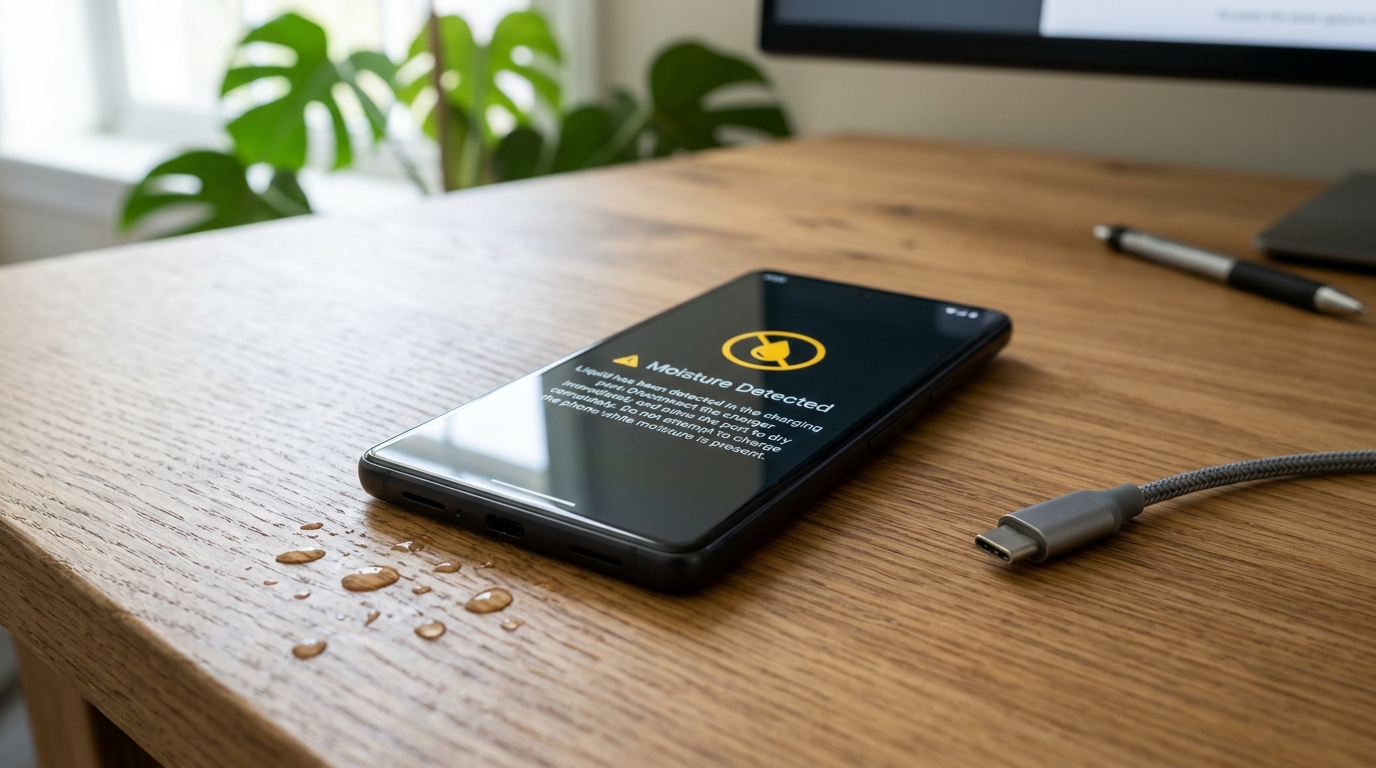
Seeing a moisture warning when your charging port looks completely dry can be confusing. The warning does not necessarily mean you can see liquid inside the port. A phone may detect moisture, residue, humidity, condensation, or an abnormal electrical condition around the charging connection and stop charging as a protective measure.
This is especially frustrating during humid or monsoon weather. A phone can be dry to the touch while tiny amounts of moisture or contamination remain around the port. In some cases, the warning can also persist after the original moisture has evaporated.
If your phone shows a moisture warning, do not immediately force the charging cable back into the port. The safest approach is to stop charging through the affected port, let the device dry naturally, and investigate whether the warning clears. If it keeps returning despite a visibly dry port, professional diagnostics at GoFix mobile repairs can help identify whether the issue is contamination, corrosion, the charging port, or the detection circuitry.
Moisture Warning: Symptom-to-Solution Matrix
| Symptoms | Possible Cause | First Safe Action |
|---|---|---|
| Warning appears after rain or humidity | Condensation or moisture | Disconnect cable and allow natural drying |
| Port looks dry but warning remains | Residue, trapped moisture, or false detection | Do not force charging; monitor after drying |
| Warning appears with one cable | Cable/accessory contamination or fault | Try a clean, compatible cable after warning clears |
| Warning returns repeatedly in dry conditions | Port contamination, corrosion, or hardware issue | Book professional diagnostics |
| Phone was exposed to liquid | Moisture inside or around components | Stop charging and seek assessment if warning persists |
| Phone charges wirelessly but not by cable | Cable/port-side issue possible | Use wireless charging only if the device supports it and is safe to do so |
Why Can a Dry Phone Still Show a Moisture Warning?
A moisture-detection system does not judge the port by whether it feels wet to your finger. It responds to conditions around the charging contacts. Tiny droplets, humidity, liquid residue, dust mixed with moisture, or contamination can change the electrical behaviour detected by the phone.
A warning can also remain for a while after visible moisture has disappeared. This is why repeatedly inserting the cable to "check" whether charging works is not a good troubleshooting method.
The right question is not only "Can I see water?" It is "Has the charging connection returned to a safe condition?" If the warning disappears after natural drying and does not return, the event may have been temporary. If the warning returns repeatedly with a dry port, the phone deserves closer inspection.
How Do You Clear a Moisture Warning Safely?
- Disconnect the charging cable immediately if the warning appears.
- Keep the charging port facing downward where practical and allow the device to dry naturally in a dry, well-ventilated environment.
- Do not insert metal objects, tissues, cotton buds, or pins into the port to absorb or scrape moisture.
- Do not use high heat or direct hot air (such as hair dryers) on the charging port.
- Do not repeatedly reconnect the cable just to test whether the warning has disappeared.
- Once the warning has cleared, use a clean, compatible charging cable and monitor whether the alert returns.
The aim is to remove the risk without introducing a second problem. Aggressive cleaning or heat can damage delicate contacts, seals, or surrounding components.
What If You See a Moisture Detected False Alarm on Samsung?
- A moisture detected false alarm Samsung users may experience can be especially confusing when the phone has not been dropped into water. Humidity, condensation, residue, a contaminated cable, or a port that has not fully dried can produce a warning.
- Start by disconnecting the charger and allowing the port to dry naturally. Check the charging cable for visible contamination or damage. If the warning appears only with one accessory, the accessory itself may be part of the problem.
- If the moisture warning continues on different compatible cables in a dry environment, do not assume that the phone is simply being over-sensitive. A technician can inspect the port for residue, corrosion, bent contacts, or other conditions that may cause repeated detection.
- A recurring alert is more useful diagnostically than a one-time warning. Note when it appears, which cable is being used, whether the phone was recently exposed to rain or humidity, and whether wireless charging behaves normally.
What If a Liquid Detected iPhone Charging Port Is Dry?
A liquid detected iPhone charging port dry situation can occur after humidity, condensation, a recent splash, or contamination that is not visible. iPhones may prevent wired charging when their liquid-detection system identifies a condition that could make charging unsafe.
The safe response is to disconnect the cable and allow the connector and phone to dry naturally. Avoid inserting objects into the connector and avoid applying external heat directly to it.
If the alert disappears and does not return, the problem may have been temporary. If the alert repeatedly appears in a dry environment, particularly with different known-good cables, the charging connector may need inspection at our dedicated mobile phone charging port repair services.
Do not treat an alert as proof that the entire phone has liquid damage. Diagnosis should establish whether there is visible contamination, corrosion, a damaged port, or another fault.
How Can You Clear a Moisture Warning Phone Safely During Monsoon Season?
Monsoon humidity can make charging-port warnings more common because moisture can accumulate through condensation or environmental exposure even when a phone never enters water.
If you need to clear moisture warning phone alerts during humid weather, focus on safe drying rather than quick hacks. Keep the phone away from additional moisture, disconnect the cable, allow natural ventilation, and avoid heat or objects inside the port.
If warnings are frequent, consider the pattern. Does the alert appear after outdoor use? Does it happen with one cable? Does it occur after the phone has been in an air-conditioned room and then moved into humid air? Does it persist for hours in a dry environment?
These observations help distinguish a temporary environmental event from a charging-port problem. During June to September, repeated alerts deserve attention rather than being dismissed as "just humidity". If liquid ingress is suspected, prompt mobile phone water damage repair services can prevent deeper mother-board corrosion.
What Happened When a 'Dry Port' Kept Showing the Warning?
Consider a common repair-diagnostic scenario. A customer reports that the phone is completely dry but repeatedly blocks wired charging. The first assumption is that the software is giving a false alarm.
A technician checks the charging cable, connector, port condition, visible contamination, and the history of recent exposure. The inspection finds that the port has residue that is not obvious during a quick visual check. The important point is that the phone's warning was not treated as a part diagnosis by itself. The technician used the warning as a reason to inspect the charging system.
This reflects a practical E-E-A-T principle: a repair recommendation should be based on observable evidence and repeatable testing, not simply on the error message. A professional technician should explain what was checked, what was found, and why the recommended service addresses the fault.
GoFix's moisture diagnostic approach is useful when a warning continues after normal drying. The aim is to determine whether the issue is temporary moisture, contamination, corrosion, a charging-port fault, or another condition before recommending repair.
When Should You Book a Moisture Diagnostic?
| Situation | Recommended Action |
|---|---|
| Warning appears once after rain/humidity | Disconnect, naturally dry, then monitor |
| Warning clears and never returns | Continue normal use while monitoring |
| Warning returns with one cable | Inspect/replace the cable or accessory |
| Warning returns with multiple clean cables | Book a moisture/charging diagnostic |
| Port shows corrosion or visible damage | Seek professional assessment |
| Phone was submerged or exposed to significant liquid | Stop wired charging and seek professional assessment |
| Charging port is dry, but warning persists | Do not force charging; book diagnostics |
A moisture diagnostic is particularly useful when the warning is persistent, intermittent, or accompanied by slow charging, charging only at certain angles, overheating, port damage, or other connectivity symptoms.
Key Takeaways
- A moisture warning does not always mean visible water is present.
- Humidity, condensation, residue, contamination, and charging-port conditions can trigger warnings.
- Do not force a charging cable into a port while a moisture warning is active.
- Natural drying is safer than inserting objects or applying high heat.
- A recurring warning in a dry environment should be professionally assessed.
- Use the warning as a diagnostic clue, not as proof that a specific component needs replacement.
Practitioner's Observation:
A useful repair-room clue is repetition. A one-time warning after heavy humidity may be environmental; a warning that repeatedly appears with different clean cables in a dry environment deserves a closer inspection of the charging port and related detection circuitry.
Quotable insight: A moisture warning is a safety signal first and a repair diagnosis second.
Conclusion
If your phone shows moisture detected when dry, do not assume the alert is meaningless and do not try to bypass it by forcing the charger in. The phone may be responding to humidity, condensation, residue, contamination, or another condition around the charging connection.
Start with safe natural drying and a clean, compatible cable after the warning clears. If the alert keeps returning in dry conditions, a moisture diagnostic can determine whether the issue is environmental or related to the charging port and its detection system.
The safest resolution when a phone shows moisture detected when dry is not a forceful bypass. It is a controlled check followed by professional diagnosis when the warning persists.
Frequently Asked Questions
Q: Why does my phone show moisture detected when it is completely dry?
A: A phone may show the warning because of humidity, condensation, residue, contamination, or an abnormal condition around the charging contacts. Visible dryness does not always mean the charging connection is ready for safe wired charging.
Q: How can I fix a moisture detected false alarm on Samsung?
A: For a moisture detected false alarm Samsung situation, disconnect the charger, allow natural drying, and check the cable for contamination or damage. If the warning continues with different clean cables in dry conditions, have the charging port professionally inspected.
Q: What should I do if my iPhone says liquid detected but the charging port is dry?
A: If you have a liquid detected iPhone charging port dry situation, disconnect the cable and let the connector dry naturally. Do not insert objects or apply direct heat. If the alert repeatedly returns, the port should be assessed.
Q: How can I clear a moisture warning on my phone?
A: To clear moisture warning phone alerts safely, disconnect wired charging and allow natural drying. Do not force charging or use high heat. Once the warning clears, use a clean compatible cable and monitor whether the alert returns.
Q: When should I book a moisture diagnostic?
A: Book a moisture diagnostic when the warning persists in a dry environment, repeatedly returns with different clean cables, or is accompanied by charging problems, corrosion, overheating, or previous liquid exposure. Professional testing can identify the actual cause before repair.