
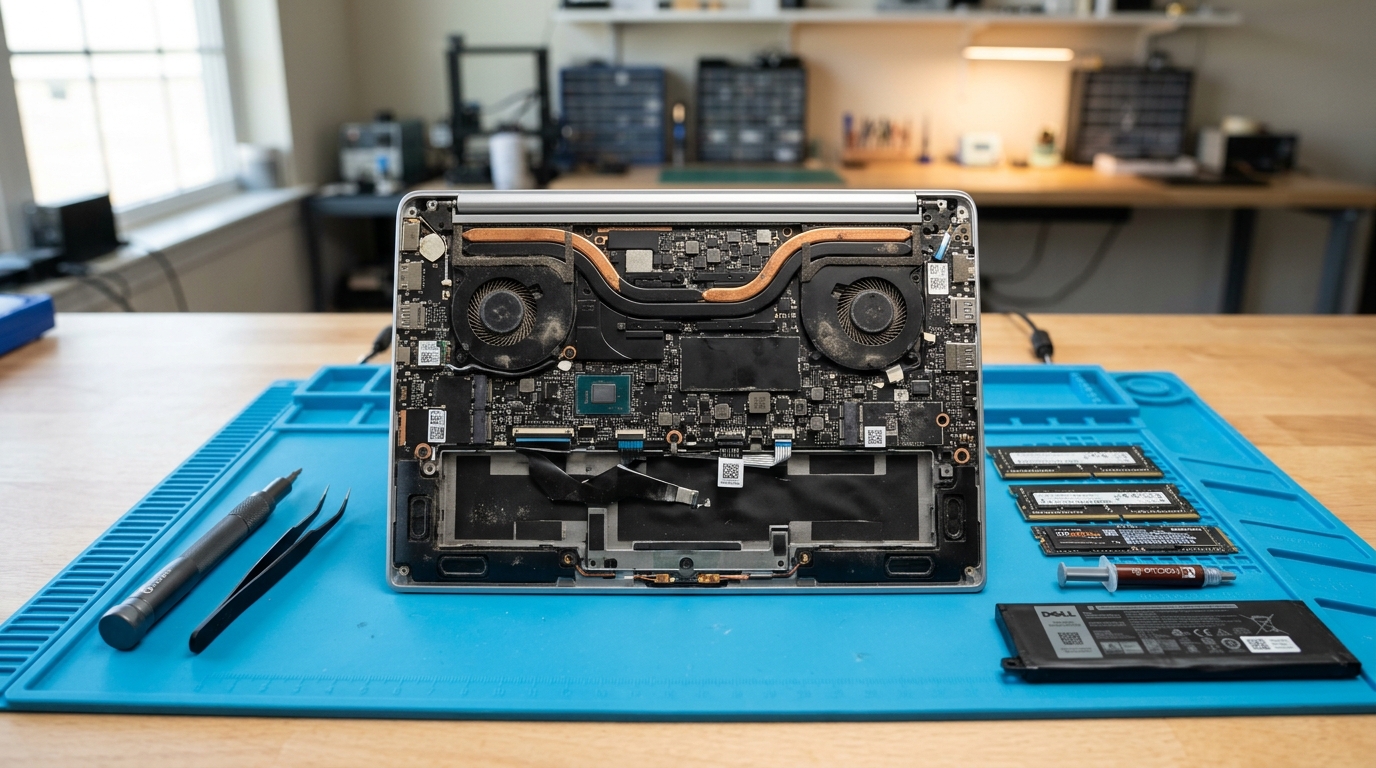
What This Post Covers:
- You will learn which parts usually wear out at four years and which almost never do.
- You will see typical repair costs in India for each part.
- You will get a simple way to compare the repair bill with the price of a new laptop.
- You will know which upgrades give an older laptop two or three more good years.
- You will learn the clear signs that it is time to replace.
Most laptops do not die at four years old. They just get tired. The battery holds less charge, the cooling fan clogs with dust, and an old mechanical drive makes everyday tasks feel sluggish. That feels like the end of the device, but it rarely is.
A 4-year-old laptop repair often costs a small fraction of a new machine, and with the right attention, the laptop can deliver seamless performance for years to come. This guide helps you evaluate what to fix, what to skip, and when purchasing new makes more financial sense.
Worth Fixing? Quick Checker
| Problem | Why It Happens at 4 Years | Verdict |
|---|---|---|
| Battery drains fast | Battery cells degrade after several hundred charge cycles | Fix. Replace the battery |
| Slow startup and lag | Aging mechanical drive or congested background storage | Fix. Install a fast SSD |
| Loud fan, hot base | Dust buildup and dried-out thermal paste | Fix. Clean fan and re-paste heatsink |
| Cracked screen | Display panel cost is high relative to depreciated laptop value | Compare costs with 50% rule first |
| Dead motherboard | Core logic board or chipset short-circuit | Usually replace |
Is a 4 Year Old Laptop Repair Worth the Money?
Yes, in the vast majority of cases. A 4-year-old laptop repair is well worth the investment when one or two wear-and-tear components have degraded and the total bill remains below half the price of a new laptop with comparable performance.
At four years old, a modern laptop is far from obsolete. It has merely completed its first operational wear cycle. The central processor and motherboard circuitry are almost always completely healthy. What degrades first are the modular, easily replaceable components:
- Battery: Chemically degrades after 300 to 500 charge cycles, losing runtime capacity.
- Cooling system: Dust obstructs airflow fins and factory thermal paste dries out.
- Storage: Mechanical hard drives slow down with age and bad sectors.
- Keys and hinges: Repeated mechanical pressure loosens physical hinge tension and key switches.
Thermal paste is the compound applied between the CPU/GPU die and the copper heatsink pipes. Over three to four years, heat cycles bake it dry, preventing efficient thermal transfer and triggering processor throttling. GoFix laptop repair services inspect and service these modular wear points first.
Key Takeaways
- A 4-year-old laptop is usually just physically worn, not fundamentally broken.
- Batteries, cooling fans, dried thermal paste, and slow storage account for over 80% of issues at this age.
- Catastrophic processor and motherboard failures are relatively rare.
- Repair is financially sound whenever the estimate remains under 50% of a comparable new laptop's price.
- Upgrading to an SSD and refreshing thermal paste can make a 4-year-old laptop feel faster than when it was brand new.
What Usually Breaks, and What Does 4 Year Old Laptop Repair Cost?
Most issues on a four-year-old laptop fall into six standard repair categories. Here are typical price ranges across India:
| Repair | Typical Cost (₹) | Worth It at 4 Years? |
|---|---|---|
| Fan cleaning or replacement | ₹800 to ₹2,500 | Yes, almost always |
| Battery replacement | ₹2,500 to ₹6,000 | Yes, if you use it unplugged |
| SSD upgrade | ₹2,500 to ₹8,000 | Yes, delivers the biggest speed boost |
| RAM upgrade | ₹1,500 to ₹5,000 | Yes, if RAM slots are modular |
| Screen replacement | ₹3,500 to ₹12,000 | Compare against new laptop price first |
| Motherboard repair | ₹4,000 to ₹15,000 | Rarely economical at this age |
Ultrabooks with soldered memory or proprietary displays cost more to service, so obtaining a written estimate is essential. At GoFix, technicians diagnose the actual fault before quoting, ensuring you pay strictly for the necessary component.
A classic technician insight: an older laptop that suddenly "slowed down" is very often simply suffering from an overheated CPU. When thermal paste hardens, the CPU throttles clock speeds to prevent thermal damage, creating the illusion of age. A simple thermal servicing often fully restores original responsiveness without significant expense.
How Do You Decide Between 4 Year Old Laptop Repair and Buying New?
Calculate the cumulative repair cost needed today and compare it against the retail price of an equivalent modern laptop.
For example, take a 2022 laptop with an Intel Core i5 or AMD Ryzen 5, 8 GB RAM, and a 512 GB drive. If it needs a battery replacement and fan service, the total bill typically ranges between ₹3,300 and ₹8,500. A comparable new laptop costs ₹45,000 to ₹60,000. Spending under 15% of replacement value to gain two to three more productive years is an easy financial win.
Follow this checklist:
- Obtain a written diagnostic report of all existing faults.
- Sum the total repair quote.
- Check current market prices for a new machine with equivalent processing capability.
- Approve repair if the quote is under 50% of new value; consider replacement if multiple costly parts have failed.
Which Upgrades Belong in a 4 Year Old Laptop Repair Plan?
Three targeted upgrades deliver the highest return on investment for a four-year-old machine: a Solid-State Drive (SSD), expanded RAM, and a new battery.
- NVMe or SATA SSD: Replaces mechanical spinning drives with flash memory. Boot times plunge from several minutes to under 15 seconds, and app launches become instantaneous.
- RAM expansion: Upgrading from 8 GB to 16 GB eliminates browser tab stutter and improves multitasking when working across heavy spreadsheets and video calls.
- Fresh OEM battery: Restores 4 to 7 hours of dependable battery runtime, returning mobility to your daily routine.
Consider operating system compatibility as well. Microsoft concluded Windows 10 mainstream support on 14 October 2025. Fortunately, most laptops manufactured from 2021 onwards feature TPM 2.0 and supported 8th Gen Intel or Ryzen 2000+ processors, making them fully compliant with Windows 11 updates.
If your laptop is feeling sluggish, certified technicians at GoFix can install compatible RAM and high-speed SSDs matched specifically to your motherboard specifications.
When Should You Stop 4 Year Old Laptop Repair and Replace?
Retire the laptop when the combined repair quote crosses 50% of the cost of a replacement machine, or when the motherboard suffers irreversible chipset damage. At four years of age, a single failing part warrants repair; three failing components warrant replacement.
Key warning signs that it is time to move on:
- The battery, display panel, and keyboard all require simultaneous replacement.
- The system memory is permanently soldered at 4 GB and cannot be expanded.
- You have already invested in a major board repair within the past 12 months.
- The CPU lacks TPM 2.0 support and cannot run modern, secure operating systems.
If you are unsure where your device stands, review our guide on the warning signs your laptop needs professional repair or schedule an evaluation with GoFix.
The Final Say on 4 Year Old Laptop Repair
A four-year-old laptop still possesses substantial working life if its core processor and motherboard are sound. Replace the worn consumable parts—thermal paste, cooling fans, and batteries—and avoid repairs that exceed half the price of a modern system. For most users, a targeted 4-year-old laptop repair is the most cost-effective path, reliably delivering two to three more productive years.
Frequently Asked Questions
Q: Is a 4-year-old laptop repair worth it?
A: Yes, provided only one or two wear-and-tear parts have failed and the total repair cost remains below half the price of a comparable new laptop. Replacing a battery, fan, or installing an SSD on a 4-year-old device is almost always financially sound.
Q: How much does a 4 year old laptop repair cost in India?
A: Most repairs range between ₹800 and ₹8,000. Fan cleanings and thermal paste servicing are the most affordable (₹800–₹2,500), battery and SSD upgrades sit in the middle (₹2,500–₹6,000), while displays and motherboards cost more.
Q: Can a 4 year old laptop still run Windows 11?
A: Yes, in most cases. Laptops manufactured from 2021 onwards typically support TPM 2.0 and 8th Gen Intel or AMD Ryzen 3000 series processors, satisfying Windows 11 requirements. Run the PC Health Check utility to verify compatibility.
Q: How long should a laptop last before replacing it?
A: A well-maintained laptop typically lasts five to seven years. Performing timely maintenance at year four—such as replacing the battery and servicing the cooling system—adds two to three years of dependable use.
Q: Should I upgrade RAM or SSD first in an older laptop?
A: Upgrade to an SSD first if your laptop still runs on a mechanical hard drive, as this provides an immediate 5x to 10x boost in responsiveness. If an SSD is already installed, expanding RAM to 16 GB is the next best upgrade for seamless multitasking.